Join the Gilla VR Discord Community: Ultimate Multiplayer Horror Guide
Connect with players, share strategies, and survive the terrifying multiplayer VR horror game with our ultimate gilla vr discord and community guide.
Looking for a way to connect with other players, find groups, and share strategies for Meta Quest's most terrifying multiplayer experience? Finding the active gilla vr discord server is essential for any player diving into this intense virtual reality horror game. Whether you are navigating the eerie, abandoned base or trying to outrun terrifying entities, having a solid community at your back makes all the difference in survival.
Understanding the Gilla VR Experience
Gilla VR reimagines traditional virtual reality movement by trading standard stick-based walking for pure arm-powered locomotion. According to player experience and community reports, getting around feels remarkably physical—you must push off the floor, shove against walls, and swing your arms harder to build momentum.
Because your own two arms are your only tools when something is hunting you behind a corner, coordinating with teammates is vital. This is precisely why players heavily rely on the gilla vr discord community channels to organize game sessions and share survival tips.
Surviving the Terrifying Base Entities
Exploring the massive, red-lit underground installation is a frightening ordeal. You and other players must hunt for gold bars and diamonds, carry them back to the recycler, and—most importantly—keep your voices down. Proximity voice chat means that any sounds you make in real life can attract deadly creatures.
Community members frequently share close-call stories regarding these monsters on social hubs and community platforms. To learn more about the developers and official announcements, you can visit the official Gilla VR website for additional updates and early access details.
Game Modes Explored: Roam, Hunt, and Survive
The game offers distinct gameplay loops that keep players coming back for more intense sessions. Understanding these modes will help you coordinate better with your squadmates.
Coordinating Squad Tactics
When tackling Roam mode, teamwork is both a blessing and a curse. While having more players helps gather gold bars and diamonds faster, it also increases the noise level, making it easier for The Grinner to track your location. Community discussions often highlight the best routes for securing keycards, unlocking hazard doors, and dropping through jagged floor holes into deeper subterranean areas.
Customization, Progression, and Community Safety
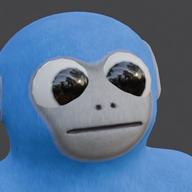
Gilla VR features an active economic and progression system that lets players personalize their experience. You can choose your custom fur color on the lobby computer so everyone in the room sees your unique look.
For those looking to team up outside of random public lobbies, utilizing private room codes on the lobby computer allows you to bring your friends directly into a closed session. Alternatively, connecting through a dedicated gilla vr discord network ensures you will never have to brave the dark corridors alone.
Frequently Asked Questions
Where can I find the official gilla vr discord server?
The best way to locate community hubs, player LFG (Looking For Group) channels, and developer updates is by checking community links shared through official VR gaming forums or the official Gilla VR website.
How does proximity chat affect gameplay in Gilla VR?
Voice chat is fully 3D and spatial, meaning your voice comes directly out of your ape's mouth. In-game monsters like The Grinner can hear you talking, so whispering or staying completely silent during tense moments is crucial for survival.
Is Gilla VR available on platforms other than Meta Quest?
Currently, Gilla VR is available in Early Access exclusively for Meta Quest headsets, supporting touch controllers as well as standing and roomscale playstyles.
How do I report disruptive players in the lobby?
You can easily mute or report any player directly from the lobby leaderboard or by utilizing the standard Meta VR menu system to ensure a smooth multiplayer experience.
Related Guides
Gilla VR Servers Down: Understanding the Recent Attacks and Security
Explore recent community reports on gilla vr servers being targeted by DDoS attacks, how multiplayer VR security works, and steps to protect your sessions.
How to Join and Set Up a Gilla VR Private Room for Your Friends Easily
Learn how to join and configure a gilla vr private room smoothly with our complete community-focused multiplayer gaming guide.
Join the Ultimate Gilla VR Discord Server for Multiplayer Horror Tips
Discover how to connect with players on the official gilla vr discord server, master intense Meta Quest multiplayer horror mechanics, and survive.