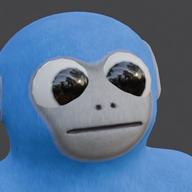
Join the Ultimate Gilla VR Discord Server for Multiplayer Horror Tips
Discover how to connect with players on the official gilla vr discord server, master intense Meta Quest multiplayer horror mechanics, and survive.
Finding a dedicated group of players to brave the dark, echoing corridors of a multiplayer virtual reality experience can totally change your gaming nights, especially when you are looking for the official gilla vr discord server. Connecting with others through a dedicated gilla vr discord server allows you to find reliable teammates, share survival strategies, and stay updated on the latest Early Access patches for Meta Quest.
Why You Need the Gilla VR Community Hub
Navigating a terrifying subterranean base where your own body acts as your primary mode of transportation is no easy feat. In GILLA, players move like apes—pushing off the floor, shoving off walls, and swinging harder to pick up speed. Because there is no standard joystick walking mechanic, coordinating with teammates becomes essential when things go wrong. Joining an active community hub gives you immediate access to experienced players who can teach you the ropes of locomotion, stealth, and resource management.
Player experience reports show that diving into multiplayer horror alone often leads to quick, noisy demises. When you communicate with teammates, your voice actually projects out of your ape's mouth in 3D space for everyone nearby to hear. This proximity chat mechanic means that whispering or shouting can completely alter your survival odds. By engaging with online channels, you can learn how to manage your microphone etiquette, find active lobby codes, and group up with players who share your preferred playstyle.
Locomotion Mastery and Survival Tactics
Mastering the unique movement system requires practice, and the community offers endless advice on how to move efficiently without making too much noise. Since monsters react to sound, every movement counts. Whether you are hunting for gold bars and diamonds or running away from horrifying entities, your arms dictate your survival.
According to player experience feedback, practicing your swings in quiet zones before heading down into hazardous areas drastically reduces accidental noise generation. Below is a breakdown of the primary threats you will encounter in the base and how community members recommend dealing with them.
Engaging with Game Modes and Multiplayer Features
GILLA features diverse game modes that cater to different playstyles, ranging from cooperative looting to high-intensity hide-and-seek. Participating in community discussions helps players understand map rotations, voting strategies, and optimal routing for gathering valuables.
The Three Core Modes Explained
When you are ready to explore the game further, you can check out official updates and community guidelines directly on the Official Gilla VR Website to ensure you have all the latest details straight from the developers.
Unlocking Secrets and Customization
Venturing past locked doors requires teamwork, specific keycards, and careful coordination. Community members frequently share tips on where keycards spawn and how to efficiently operate card readers and vault mechanisms. Furthermore, the game offers a rich cosmetic shop where players can walk around, try on limited items and bundles, and express their individual style by customizing their ape's fur color on the lobby computer.
Frequently Asked Questions
How do I find active players for Gilla VR?
Joining dedicated community spaces, such as an active gilla vr discord server, is the best way to connect with other Meta Quest players, find private lobby codes, and build a reliable squad for horror runs.
How does proximity voice chat work in the game?
Your voice projects directly out of your ape's mouth in 3D audio space. Because monsters react to the sound of your voice, talking too loudly can easily give away your position to entities like The Grinner.
Can I play Gilla VR in single-player mode?
While you can type a private code into the lobby computer to play with just your invited friends, the game is designed as a multiplayer VR horror experience intended to be played with others.
How do I report disruptive players?
You can easily mute or report anyone directly from the in-game leaderboard located in the lobby, or use the standard Meta menu options to maintain a safe and enjoyable environment.
Related Guides
Gilla VR Servers Down: Understanding the Recent Attacks and Security
Explore recent community reports on gilla vr servers being targeted by DDoS attacks, how multiplayer VR security works, and steps to protect your sessions.
How to Join and Set Up a Gilla VR Private Room for Your Friends Easily
Learn how to join and configure a gilla vr private room smoothly with our complete community-focused multiplayer gaming guide.
Join the Gilla VR Discord Community: Ultimate Multiplayer Horror Guide
Connect with players, share strategies, and survive the terrifying multiplayer VR horror game with our ultimate gilla vr discord and community guide.